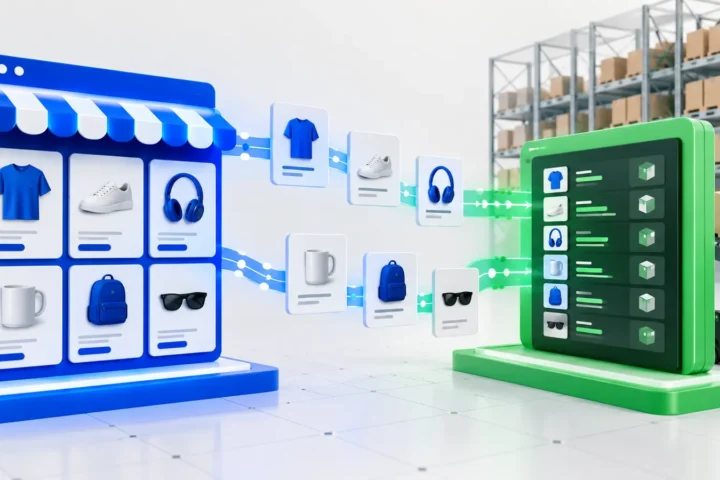
A custom Klaviyo API integration is useful when your store needs events, profile properties or operational data that a native connector does not send correctly. The goal is not to copy every database field into Klaviyo. It is to deliver trustworthy data that can safely control segments, flows and reporting.
Most failed integrations are not caused by the API itself. They fail because nobody defined event meaning, identity rules, consent handling, retry behavior or ownership before development began.
When do you need a custom Klaviyo integration?
- Your commerce platform or internal system has no supported connector.
- The native integration omits business-specific events or properties.
- You need product, subscription, loyalty or wholesale data from several systems.
- Events require transformation before they are useful for segmentation.
- A workflow must send data back from Klaviyo to an operational platform.
- You need stronger monitoring, replay and audit controls than a no-code scenario provides.
Custom code is not automatically better. If the official integration provides the required events and remains the documented source of truth, use it. Additional pipelines create duplicate-event and consent risks.
| Option | Best for | Reliability and control | Typical trade-off |
|---|---|---|---|
| Native connector | Standard platform events and profile data | Vendor-maintained with the lowest operational burden | Limited custom fields, transformations, or workflows |
| Make or Zapier | Low-volume workflows with simple mappings | Visible configuration and quick iteration | Complex retries and deduplication become difficult |
| Custom API integration | Business-specific events, multiple systems, or strict consent rules | Full control over contracts, queues, logs, and recovery | Requires development, monitoring, and maintenance |
Start with an event contract
Before touching the API, define each event in plain language. State what happened, when it happened, which system produced it, how the profile is identified, and which properties are guaranteed.
For example, “Back in Stock Requested” should not mean both “customer viewed an unavailable item” and “customer submitted a notification request.” Those actions have different intent and should not share an event name.
- Use stable, human-readable event names.
- Keep property names and types consistent.
- Send timestamps in a documented timezone.
- Include stable product, order or subscription identifiers.
- Avoid large unstructured payloads that nobody uses.
Profile identity and deduplication
Email is commonly used to identify a Klaviyo profile, but it is not always sufficient. Customers change email addresses, check out as guests and interact across multiple devices. Use the strongest permitted identifiers available and maintain a mapping to the source system.
Every event submission should have an idempotency strategy. A retry after a timeout must not trigger the same flow twice. Store the source event ID and processing status, and treat an uncertain response as recoverable—not as permission to create another unrelated event.
Consent is separate from profile data
Creating or updating a profile does not automatically mean that person has consented to marketing. Subscription status must come from a valid consent action or an approved source. The integration should preserve the timestamp, channel and origin of consent and should never resubscribe a suppressed profile simply because another system contains an email address.
Keep transactional and marketing use cases separate. Legal requirements vary by location and business model, so the technical implementation should follow the consent rules approved for the store.
A reliable integration architecture
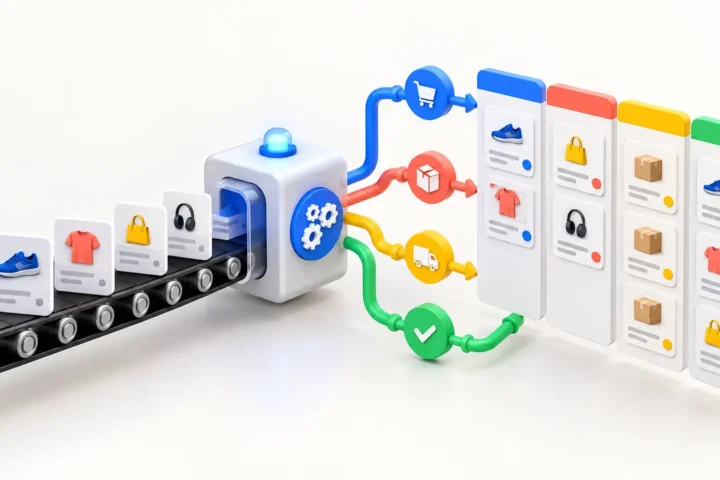
The customer-facing application should record its own action first. It should then place a compact job on a queue. A worker validates and transforms the payload, calls Klaviyo, records the response and retries only errors that may succeed later.
- Authenticate server-to-server and keep private keys outside frontend code.
- Respect API rate limits and back off after throttling.
- Separate validation errors from temporary network failures.
- Use a dead-letter state for jobs that need human review.
- Redact unnecessary personal data from logs.
- Monitor event volume and failure rate, not only server uptime.
How to test Klaviyo event data
Test with a dedicated profile and a staging or controlled production workflow. Verify the exact event name, timestamp, identifiers and property types in Klaviyo. Then test retries, duplicate delivery, missing optional fields, revoked consent and API throttling.
Finally, build a temporary segment or flow condition using the new data. An event can look correct in an API response yet still be awkward or unsafe for marketers to use.
Common Klaviyo API integration mistakes
- Sending the same event from both the official connector and custom code.
- Changing property types between requests.
- Using browser-side private API keys.
- Updating consent as if it were an ordinary profile property.
- Running external API calls during checkout.
- Logging no source event ID, making replay unsafe.
- Building flows before validating real production-shaped payloads.
When should you use Make or Zapier instead?
A no-code platform is appropriate for a low-volume workflow with simple mapping and limited consequences if processing is delayed. Custom development is a better fit when events affect revenue-critical flows, require strict consent handling, combine several systems or need reliable recovery.
E-FRAME provides Klaviyo development and troubleshooting and builds custom e-commerce integrations. For a concrete cross-team workflow, see our guide to Klaviyo + monday.com integration.
Frequently asked questions
Can a custom API integration create Klaviyo events?
Yes. A server-side integration can submit events with profile identifiers and structured properties for segmentation and flows.
Can it update profile properties?
Yes, but property names and data types should be governed. Consent and subscription status require separate, explicit handling.
How do you prevent duplicate Klaviyo events?
Use a stable source event ID, store processing state, and make retries idempotent. Also confirm that no native connector sends the same event.
Does custom Klaviyo development replace the official integration?
Usually not. It should fill a defined gap without duplicating data already handled reliably by the official connector.
Need reliable custom data in Klaviyo?
Send us the event or workflow you cannot build with the native connector. We will map the data contract and failure handling before recommending code.
Need custom implementation? Explore our Klaviyo API integration service.

Related insights
-
Klaviyo Webhook Troubleshooting: Why Events Fail, Duplicate, or Arrive Late
Klaviyo webhook problems usually come from delivery assumptions, slow endpoints, duplicate processing or inconsistent payload handling. A webhook is a notification, not a guaranteed one-time command. Your endpoint must authenticate it, acknowledge it quickly and process it safely even when delivery is repeated or delayed. The fastest way to debug a webhook is to trace […]
-
WooCommerce + Zoho Inventory Integration: A Practical Sync Architecture
A WooCommerce + Zoho Inventory integration should keep products, inventory and orders consistent without making either platform unreliable. The hard part is not sending one API request. It is deciding which system owns each field, how updates are matched, and what happens when an API call fails halfway through a sync. A small catalog can […]
-
monday.com + WooCommerce Integration: Turn Store Events Into Team Workflows
A monday.com + WooCommerce integration turns store activity into operational work with an owner, status and deadline. It is useful when an order, refund, wholesale request or fulfillment exception needs human attention instead of another notification buried in an inbox. WooCommerce should remain the source for commerce data. monday.com should manage the work created from […]