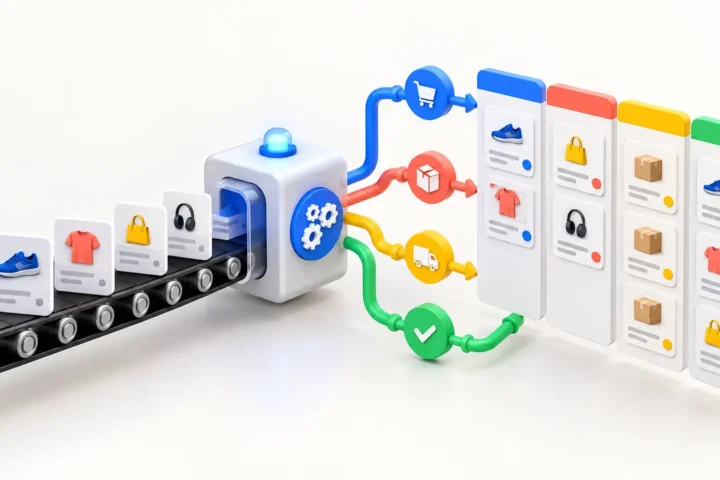
A WooCommerce + Zoho Inventory integration should keep products, inventory and orders consistent without making either platform unreliable. The hard part is not sending one API request. It is deciding which system owns each field, how updates are matched, and what happens when an API call fails halfway through a sync.
A small catalog can survive a basic scheduled import. A growing store usually needs a more deliberate architecture: an initial full synchronization, event-driven updates for changed records, a durable queue, and logs that make failures recoverable.
What should WooCommerce and Zoho Inventory sync?
Most integrations need four data flows. Products and variants move from the system where the catalog is managed. Inventory quantities move from the source responsible for stock. WooCommerce orders move into Zoho for fulfillment and accounting workflows. Shipment or fulfillment status may then return to WooCommerce.
- SKUs, names, descriptions and product status
- Variant attributes and identifiers
- Prices, when Zoho is the pricing source
- Available stock by warehouse or location
- WooCommerce customers and orders
- Shipment status and tracking information
- Product images when they are managed in Zoho
Do not synchronize every available field simply because the API exposes it. Each extra mapping creates another place where the two systems can disagree.
Choose one source of truth for every field
The integration needs a written ownership map before development starts. For example, Zoho Inventory may own SKU, cost, stock and fulfillment status, while WooCommerce owns SEO copy, categories and storefront merchandising. If both systems can overwrite the same field, the latest request wins even when it contains older data.
Use stable identifiers rather than product names. A SKU is useful for the first match, but store the corresponding Zoho item ID and WooCommerce product or variation ID after a record is linked. This avoids expensive searches and prevents renamed products from being duplicated.
| Data | Recommended source of truth | Sync direction | Important rule |
|---|---|---|---|
| SKU and product identifiers | Zoho Inventory | Zoho → WooCommerce | Store both platform IDs after the first match. |
| Stock quantity | Zoho Inventory | Zoho → WooCommerce | Update variations individually and reconcile on a schedule. |
| SEO copy and categories | WooCommerce | No automatic overwrite | Keep storefront merchandising under WordPress control. |
| Customer orders | WooCommerce at checkout | WooCommerce → Zoho | Use idempotency so retries cannot create duplicate orders. |
| Shipment status and tracking | Zoho Inventory | Zoho → WooCommerce | Allow only mapped, validated status changes. |
| Product images | Defined per project | Usually Zoho → WooCommerce | Process changed images instead of the full media catalog. |
Initial catalog sync versus ongoing updates
The first synchronization and daily operations are different jobs. The initial sync processes the existing catalog in controlled batches, validates identifiers, and records rejected items. It should be resumable, because a large catalog may take longer than one web request can safely run.
After the baseline is established, changed records should be processed incrementally. Webhooks can notify the integration when an item or order changes. A scheduled reconciliation job can then catch anything missed because of network failures, disabled webhooks or temporary API errors.
This hybrid approach is safer than repeatedly downloading the entire catalog. It also reduces unnecessary image processing, which is often the slowest and most resource-heavy part of a product sync.
How to prevent inventory conflicts
Stock synchronization needs explicit rules. If Zoho Inventory is the source of truth, WooCommerce should display the quantity received from Zoho rather than independently adjusting it forever. New WooCommerce orders still need to reach Zoho quickly so the available quantity can be recalculated.
- Use idempotency keys or stored event IDs so retries do not create duplicate orders.
- Separate physical stock from available-to-sell stock when reservations exist.
- Process variations individually instead of updating only the parent product.
- Record the last successful sync timestamp and remote version where possible.
- Run a periodic reconciliation report for mismatched quantities.
Do you need middleware?
A direct WordPress plugin can work when the workflow is narrow and the catalog is moderate. Middleware becomes useful when the integration has several systems, long-running jobs, multiple warehouses or operational users who need a separate dashboard.
Whichever approach you choose, keep API credentials outside the browser, validate webhook signatures, limit permissions, and never perform a large synchronization during a customer-facing page request.
Common WooCommerce–Zoho integration failures
Duplicate products usually come from matching by title instead of a stable ID. Incorrect stock often comes from unclear ownership or variation-level mappings. Missing orders are commonly caused by treating a single failed API call as a permanent failure. Slow stores appear when synchronization runs synchronously inside WordPress or repeatedly downloads unchanged images.
A production integration needs a queue, bounded retries, structured logs and a manual replay option. “The cron runs every hour” is a schedule, not a reliability strategy.
When is a custom integration worth it?
A connector is usually enough for a simple one-way stock update. Custom development makes sense when you have complex variants, multiple warehouses, bundles, special pricing, high order volume, custom Zoho fields, or strict rules about which system may modify each value.
E-FRAME builds e-commerce integrations around real ownership and recovery rules. See our Zoho Inventory–WooCommerce synchronization case study for a related product and image sync architecture.
Frequently asked questions
Can Zoho Inventory update WooCommerce stock automatically?
Yes. Zoho can act as the inventory source and send or expose quantity changes to an integration that updates WooCommerce products and variations. A reconciliation job should still verify that both systems agree.
Can WooCommerce orders be created in Zoho Inventory?
Yes. The integration can create the customer and sales order, map line items by stored IDs or SKU, and later return fulfillment details to WooCommerce.
Should the integration use webhooks or scheduled syncs?
Use both. Webhooks handle timely updates, while scheduled reconciliation catches missed events and repairs drift.
How long does a custom integration take?
A narrow one-way flow may take days. A two-way production integration with catalog mapping, queues, retries and testing usually takes several weeks. The data model matters more than the number of API endpoints.
Need WooCommerce and Zoho to stay in sync?
Tell us how your catalog, inventory and fulfillment currently work. We can map the data ownership first and recommend the smallest reliable integration.
Need implementation support? Explore our WooCommerce + Zoho Inventory integration service.

Related insights
-
Klaviyo Webhook Troubleshooting: Why Events Fail, Duplicate, or Arrive Late
Klaviyo webhook problems usually come from delivery assumptions, slow endpoints, duplicate processing or inconsistent payload handling. A webhook is a notification, not a guaranteed one-time command. Your endpoint must authenticate it, acknowledge it quickly and process it safely even when delivery is repeated or delayed. The fastest way to debug a webhook is to trace […]
-
monday.com + WooCommerce Integration: Turn Store Events Into Team Workflows
A monday.com + WooCommerce integration turns store activity into operational work with an owner, status and deadline. It is useful when an order, refund, wholesale request or fulfillment exception needs human attention instead of another notification buried in an inbox. WooCommerce should remain the source for commerce data. monday.com should manage the work created from […]
-
Klaviyo Custom API Integration: When Native Connectors Are Not Enough
A custom Klaviyo API integration is useful when your store needs events, profile properties or operational data that a native connector does not send correctly. The goal is not to copy every database field into Klaviyo. It is to deliver trustworthy data that can safely control segments, flows and reporting. Most failed integrations are not […]