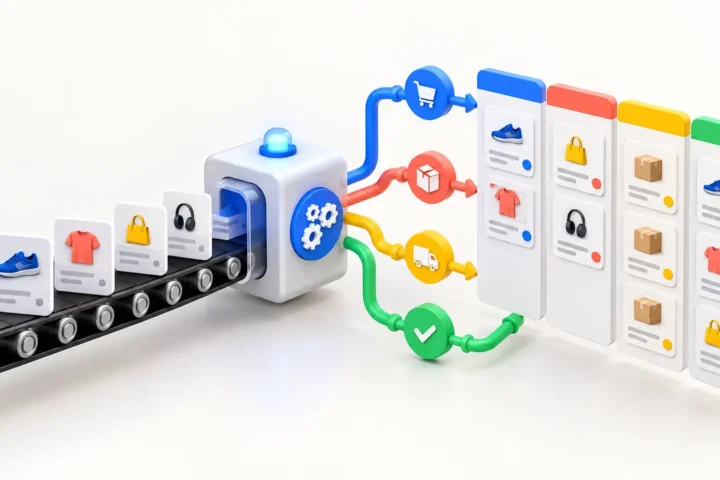
A Klaviyo monday.com integration can turn customer activity into work your team can actually track. The usual setup sends selected Klaviyo events or profile changes to a monday.com board, then optionally returns operational updates to Klaviyo as profile properties or custom events.
There is no single integration pattern that fits every store. A simple campaign handoff may take one Make or Zapier scenario. A reliable two-way workflow with deduplication, consent rules, and error recovery usually needs a custom API integration.
What can Klaviyo and monday.com do together?
Klaviyo is where e-commerce customer profiles, segments, and behavioral events live. monday.com is where teams assign owners, track status, and manage operational work. Connecting them is useful when a marketing signal should trigger a human process.
- Create a monday.com item when a high-value customer needs personal outreach.
- Send campaign, creative, or deliverability issues to a marketing operations board.
- Route negative reviews or support-related events to the right owner.
- Track VIP, wholesale, or win-back leads without exporting spreadsheets.
- Record a completed monday.com workflow in Klaviyo for later segmentation.
Three ways to build the integration
1. Make or Zapier
A no-code automation platform is the fastest route for a small, linear workflow. It is a good fit when one trigger creates or updates one monday.com item and the volume is moderate.
For example: a customer enters a Klaviyo VIP segment, the automation searches monday.com for an item containing that customer’s external ID, and then creates or updates the item. The board can store the workflow owner, customer tier, last order date, and next action.
The tradeoff is control. Complex field mapping, high event volume, retries, and two-way synchronization can become difficult to reason about. Per-operation pricing can also make a seemingly cheap automation expensive as the store grows.
2. A custom API and webhook integration
A custom integration is better when the workflow affects revenue or customer experience. Klaviyo’s APIs can work with profiles and events, while the monday.com platform API uses GraphQL to read and update boards, items, columns, and related workflow data. monday.com webhooks can notify an integration endpoint when board activity occurs.
The integration layer sits between both systems. It validates incoming events, maps fields, checks for an existing record, writes the required update, and logs the result. It should also queue failed requests instead of losing them when either API is temporarily unavailable.
3. A native recipe or marketplace app
Before building anything, check the integration options available in your Klaviyo and monday.com accounts. Plans, marketplace apps, and supported recipes change. A native connector is the right choice when it supports the exact trigger, action, and fields you need—not merely both product names.
Test whether it can update existing records, preserve identifiers, handle unsubscribe status correctly, and retry failures. If it only creates new items, duplicate customers will eventually turn the board into archaeology.
A practical Klaviyo-to-monday.com workflow
Suppose an e-commerce team wants to follow up manually with high-value customers who have not purchased recently. A dependable workflow looks like this:
- Klaviyo identifies a relevant profile or records a qualifying customer event.
- The integration receives or retrieves only the fields required for the workflow.
- It searches monday.com using a stable external identifier—not the customer’s display name.
- The integration creates a new item or updates the existing one.
- A monday.com automation assigns an owner and due date.
- When the status changes, a monday.com webhook sends the update to the integration layer.
- The integration records a custom event or approved profile property in Klaviyo.
This creates a closed loop. Marketing can segment customers based on completed operational work, while the team in monday.com does not need direct access to every Klaviyo screen.
Field mapping: keep it smaller than you think
Do not copy an entire Klaviyo profile into monday.com because the API makes it possible. Start with the minimum data needed to complete the task.
| Klaviyo data | monday.com field | Purpose |
|---|---|---|
| External customer ID | Text column | Deduplication and updates |
| Email or customer reference | Email/text column | Contact identification |
| Event name | Status or dropdown | Workflow type |
| Event timestamp | Date column | Prioritization |
| Customer value tier | Status column | Routing |
| Event URL or admin link | Link column | Fast investigation |
A stable ID is essential. Email addresses can change, names are not unique, and phone formats vary. Store the Klaviyo profile ID or your commerce platform’s customer ID in a dedicated monday.com column and use it for every update.
Common integration mistakes
Creating a new item for every event
Event streams are repetitive by design. Without an idempotency rule, a customer who triggers the same event twice can create duplicate work. Decide whether the unique key is a profile ID, order ID, ticket ID, or a combination of profile and workflow type.
Treating monday.com as a customer database
monday.com should contain enough customer context to complete the work, not an uncontrolled copy of the marketing database. Limit personal data, restrict board access, and define how old items are archived or removed.
Ignoring consent and suppression state
An operational status in monday.com must not silently resubscribe a person in Klaviyo. Marketing consent, suppression, and deliverability fields need explicit rules. Separate operational updates from subscription changes.
No retry or monitoring strategy
APIs time out, credentials expire, and board columns get renamed. A production integration needs logs, alerting, retries with backoff, and a dead-letter queue or review screen for records that cannot be processed automatically.
How much does a Klaviyo monday.com integration cost?
A basic one-way no-code workflow may take a few hours to configure and test, plus the automation platform subscription. A custom two-way integration costs more because it includes authentication, data mapping, deduplication, retries, monitoring, and deployment.
The useful question is not “How many apps are connected?” It is “What happens when the same customer triggers the workflow twice, a request fails, or a field changes?” Those edge cases determine whether the integration saves work or creates a new source of cleanup.
When should you choose a custom integration?
- The workflow is tied to revenue, retention, or customer support.
- You need two-way synchronization.
- Event volume makes per-task automation pricing inefficient.
- Records must be deduplicated across several boards or stores.
- You need audit logs, controlled retries, or custom privacy rules.
For a small internal notification, start with no-code. For a workflow that must remain accurate during campaigns, catalog spikes, and team changes, build an integration layer you can monitor.
Frequently asked questions
Does Klaviyo integrate directly with monday.com?
Available native recipes and marketplace apps can change, so check both accounts first. If the required trigger or field mapping is unavailable, connect the platforms through Make, Zapier, or a custom API and webhook integration.
Can Klaviyo events create monday.com items?
Yes. A qualifying Klaviyo event can be used to create an item, provided an automation platform or custom integration receives or retrieves the event and maps it to the correct board and columns.
Can monday.com send data back to Klaviyo?
Yes. monday.com webhooks can notify an integration when an item or status changes. The integration can then create an appropriate Klaviyo event or update an approved profile property.
Should we use Zapier, Make, or custom code?
Use Zapier or Make for a low-volume, linear workflow that is easy to inspect. Choose custom code for two-way sync, high volume, advanced deduplication, strict data rules, or business-critical processing.
Need a reliable Klaviyo + monday.com workflow?
E-FRAME builds and supports e-commerce integrations that connect marketing, store, CRM, and operations data without turning your workflow into a chain of fragile plugins. Explore our e-commerce integration services or talk directly with a developer.

Related insights
-
Klaviyo Webhook Troubleshooting: Why Events Fail, Duplicate, or Arrive Late
Klaviyo webhook problems usually come from delivery assumptions, slow endpoints, duplicate processing or inconsistent payload handling. A webhook is a notification, not a guaranteed one-time command. Your endpoint must authenticate it, acknowledge it quickly and process it safely even when delivery is repeated or delayed. The fastest way to debug a webhook is to trace […]
-
WooCommerce + Zoho Inventory Integration: A Practical Sync Architecture
A WooCommerce + Zoho Inventory integration should keep products, inventory and orders consistent without making either platform unreliable. The hard part is not sending one API request. It is deciding which system owns each field, how updates are matched, and what happens when an API call fails halfway through a sync. A small catalog can […]
-
monday.com + WooCommerce Integration: Turn Store Events Into Team Workflows
A monday.com + WooCommerce integration turns store activity into operational work with an owner, status and deadline. It is useful when an order, refund, wholesale request or fulfillment exception needs human attention instead of another notification buried in an inbox. WooCommerce should remain the source for commerce data. monday.com should manage the work created from […]